
Frequently Asked Questions
Answers to common questions about scanning cards, playing, purchases and privacy.
Getting Started
What is Daubby?
Daubby is a scorekeeping aid for players of physical paper bingo cards. You photograph the cards you already own, Daubby reads the numbers, and then it helps you track called numbers and highlights cards that are close to a win.
Is Daubby a bingo game? Can I win money with it?
No. Daubby does not host or run a game, and it does not accept, process or pay out wagers of any kind. It is a tool you use alongside a game run by someone else, such as a bingo hall or a game with friends.
Do I need an account?
No. There is no account, sign-in or registration. Open the app and start scanning.
Does Daubby need an internet connection?
No. Scanning cards and playing games work fully offline, so Daubby works in halls with poor or no reception. You only need a connection to buy or restore the scanning unlock, or to start the trial on iPhone and iPad.
How do I learn my way around the app?
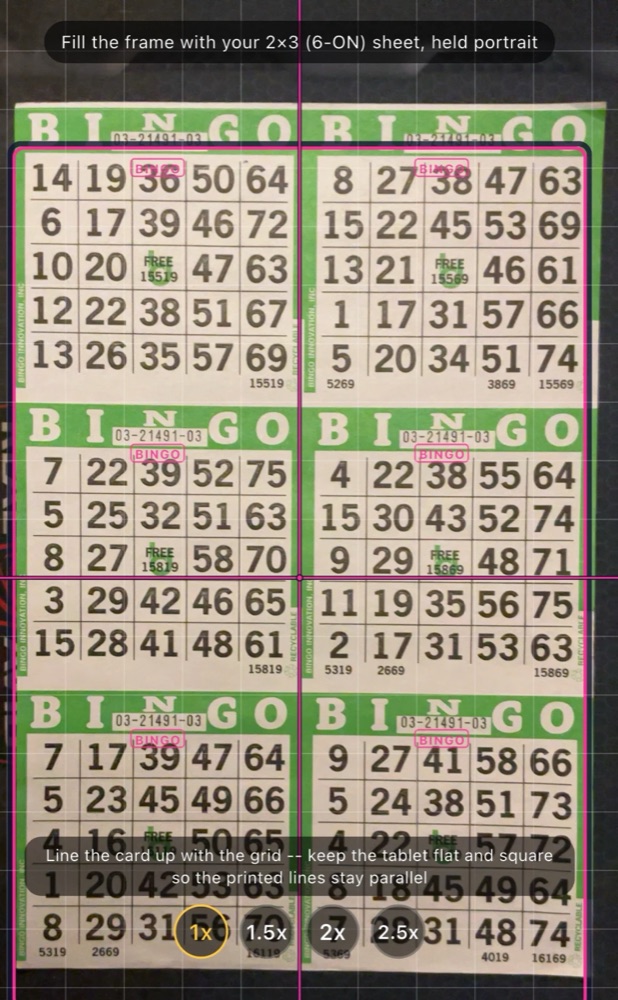
The first time you open each screen, Daubby walks you through it with a short tour, lighting up each button as it explains it: where to scan, how to frame a sheet, how to check the numbers, and how to call balls during a game. To turn the tips off, or to see them all again, go to Settings › Help.
Why does Daubby need my camera?
The camera is how Daubby reads your cards. It only uses photos you take inside the app and never accesses your photo library. If you turn off camera access in your device settings, scanning will stop working.
Scanning Cards
What is the fastest way to scan my bingo cards?
Use the 1x1 close-up format. Daubby can quickly scan every card on a large sheet this way. Because a close-up gives the most pixels per card, it's also when Daubby is most accurate.
For a pile of single cards, choose Fast mode. Pick the paper color once, then scan card after card: each card that reads cleanly saves on its own, and "Saved" flashes with its card number. Anything Daubby isn't sure of opens for you to check.
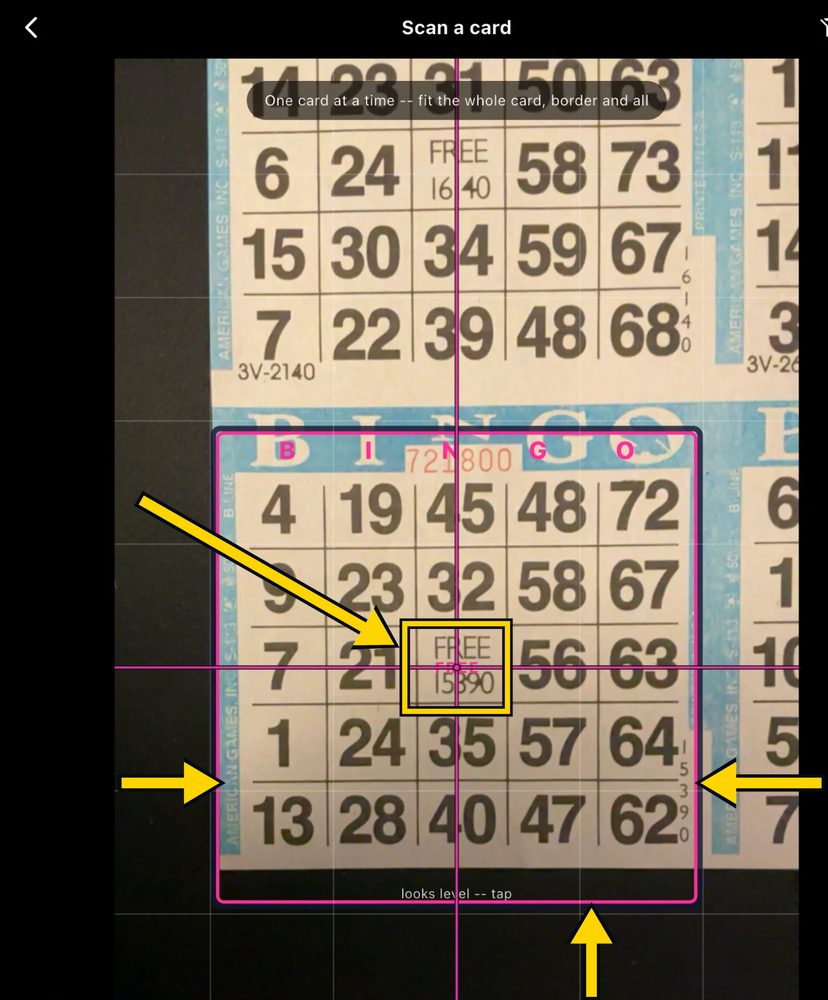
Line up each card so the FREE space sits in the small center box, and keep the card's colored border inside the frame, with a little space showing on the left, the right and below the card. Cropping into the grid drops the top row.
Which card brand should I choose?
Choose the brand printed on your cards: Bingo Innovation, American Games or UniMax. Each brand prints its sheets differently, and Daubby reads each one its own way, from where the crop lines go to how it checks card numbers. For American Games and UniMax sheets, the crop lines place themselves. If you don't know the brand, choose Not sure. Daubby remembers your last choice.
How do I get the best scans?
Good, even lighting makes the biggest difference. Avoid glare from overhead lights, hold the phone steady so the card is in focus, and keep the whole card in frame. Flat cards in good condition read most reliably. When you photograph a sheet, leave a little table showing all the way around it, so Daubby can find the edge of the sheet and place the crop lines for you. If a photo is blurred or the phone moved, Daubby asks you to take another before reading it.
My scans need several cells corrected by hand. How can I improve them?
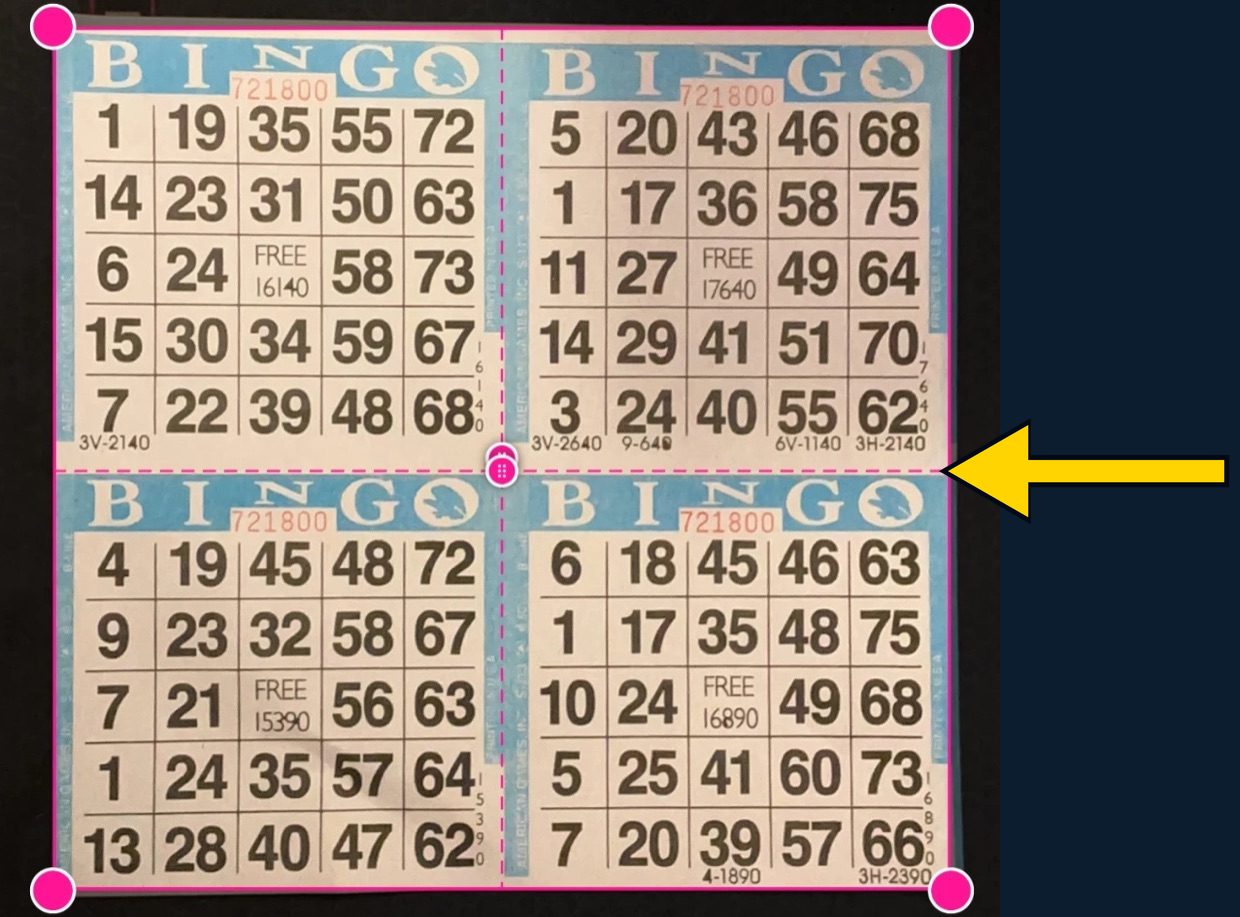
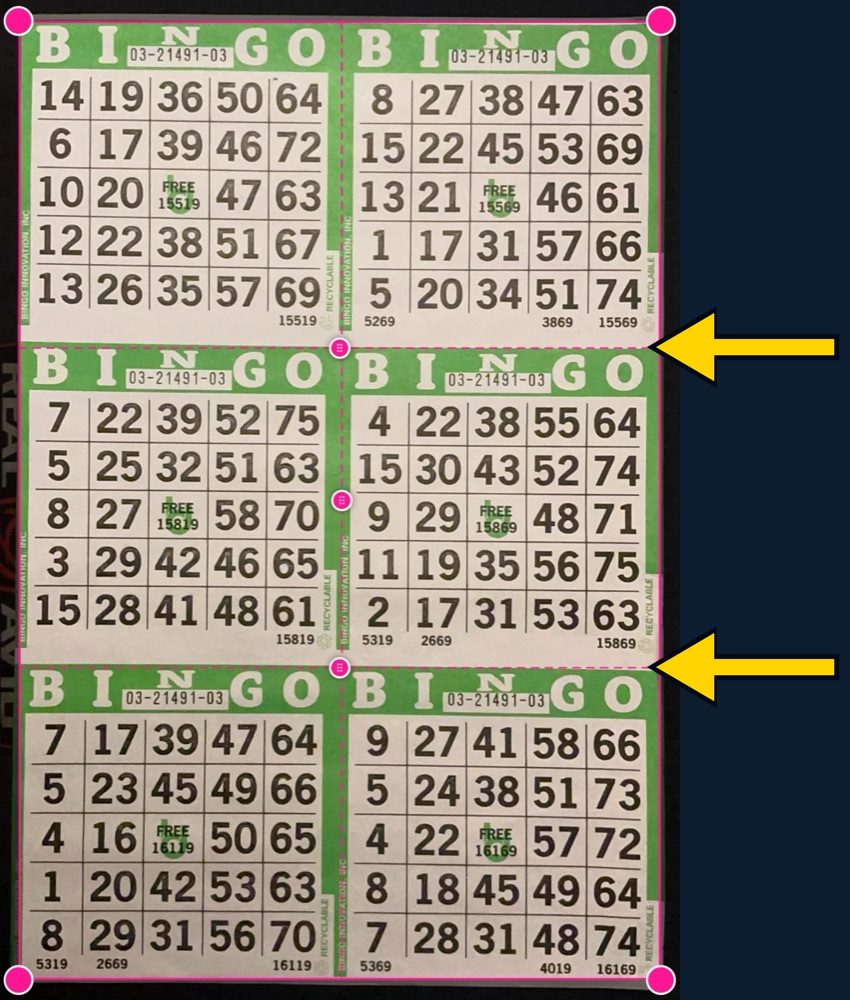
Align the outer crop lines with the outside of the sheet, so they capture the entire border of each bingo card and the entire bottom of the sheet.
Place each middle crop line right on the top edge of the colored border of the card below it. Setting it higher, in the white space between cards, cuts off the bottom of the card above, including its serial numbers. The illustrations below show the correct placement.
Daubby warns me about scanning a 3x3 (9ON) sheet on my device. Why?
3x3 sheets are large. To read the largest sheets reliably in one scan, Daubby needs a 4K-capable camera. Lower-resolution cameras don't capture enough pixels per card, so more numbers will be misread.
If your camera reaches 1080p but not 4K, Daubby warns you and lets you choose: scan the cards one at a time with the close-up format, which is most accurate, or proceed with the whole sheet and correct any misread numbers by hand. On cameras below 1080p, 3x3 sheets have to be scanned one card at a time.
Why doesn't Daubby read the serial number on Bingo Innovation cards reliably?
Daubby reads a card's serial number from the free space, and uses the serial number printed below the card as a backup. Bingo Innovation cards print an inked logo over the free space, which usually makes it unreadable to Daubby.
When you scan a whole sheet, Daubby checks each card number against the numbering printed across the sheet. A number it couldn't read is filled in, and one that doesn't fit is flagged for you to look at before you save. Still, check the card number against the paper card after scanning: it's the number the caller will ask for when you call bingo.
Daubby misread a number. What should I do?
Always check each scanned card against the paper card in your hand before you play. Image recognition is never perfect. Glare, focus, card condition and printing differences can all cause a misread. If a card keeps misreading, rescan it in better light.
If you spot a wrong number during a game, tap the cell and type the right number. Daubby re-checks that card against every ball already called, so the corrected card comes back already daubed.
Playing
Can I rely on Daubby to tell me when I've won?
No. Daubby is an aid to your own attention, not a replacement for it. It can miss a call, record a number incorrectly, or fail to alert you to a winning pattern. Keep watching your own cards and confirm every call and every win yourself.
Am I allowed to use Daubby at my bingo hall?
It depends on the venue. Many halls restrict or prohibit phones, cameras or electronic aids during play. Check the rules where you play before using Daubby there.
I tapped the wrong ball, or the caller corrected a call. How do I fix it?
Use Remove ball to open the red board, and tap the ball to remove. You can remove any called ball, not just the last one, and every card updates.
My hall plays several patterns at once, or one Daubby doesn't have. Can it handle that?
Yes. Combine as many patterns as the game calls for. Tap a pattern to see every way it wins, and choose which directions count. If your hall plays something unusual, draw your own pattern, with up to four shapes, any of which wins. You can also parlay straight into the next pattern, keeping or clearing the called numbers.
What is Party mode?
Party mode deals randomly generated cards, so you can play without paper cards. It is always free and is not affected by the scanning trial or the purchase.
Purchases
Is Daubby free?
Daubby is free to download. Card scanning is free for 60 days, and after that you can unlock it with a single one-time purchase. There is no subscription and no recurring charge. Party mode is always free.
When does the 60-day trial start?
The first time you tap Scan Cards, Daubby offers the 60-day trial. The trial starts when you tap Start 60-Day Trial. On iPhone and iPad this is a $0 in-app purchase through the App Store. Installing or opening the app does not start the trial, and tapping Not now doesn't either.
I got a new phone or reinstalled the app. Do I have to pay again?
No. Your purchase is tied to the Apple or Google account that bought it. Open Daubby on your new device, signed in with the same account, and tap Restore purchases.
How do I get a refund?
Purchases are handled by Apple and Google, so refunds go through them rather than through Cynfi. Use Apple's or Google Play's usual refund process.
Privacy and Data
Are my card photos uploaded anywhere?
No. Photos of your cards are read on your device and stay on your device. Neither the photos nor the numbers on your cards are sent to Cynfi or anyone else. See the Privacy Policy for full details.
Does Daubby have ads or tracking?
No. Daubby has no advertising, no analytics of our own and no third-party tracking. The text-recognition library that reads your cards (Google ML Kit) sends Google a small amount of anonymous diagnostic data. That data never includes your photos or card numbers. The Privacy Policy explains exactly what it contains.
What happens to my cards and history if I delete the app?
Everything is stored only on your device, so deleting Daubby permanently removes your scanned cards, game history and settings. We have no copy to restore them from. Your purchase is not lost; use Restore purchases after reinstalling.
Still Need Help?
If your question isn't answered here, send us a support request or email support@cynfi.com.